How to Connect to Piso WiFi
From finding the network to your first minute online — the complete first-time walkthrough.
Stand near the machine, join its WiFi network on your phone, open the portal at http://10.0.0.1, pay (coins, voucher, or e-wallet where offered) — and your timer starts right away. Your session belongs to the phone you connected with.
On this page
Steps to connect
- Find the network name
The machine's WiFi name is usually posted on or near the machine, or ask the store. Stand within range — a weak signal causes most drop-outs.
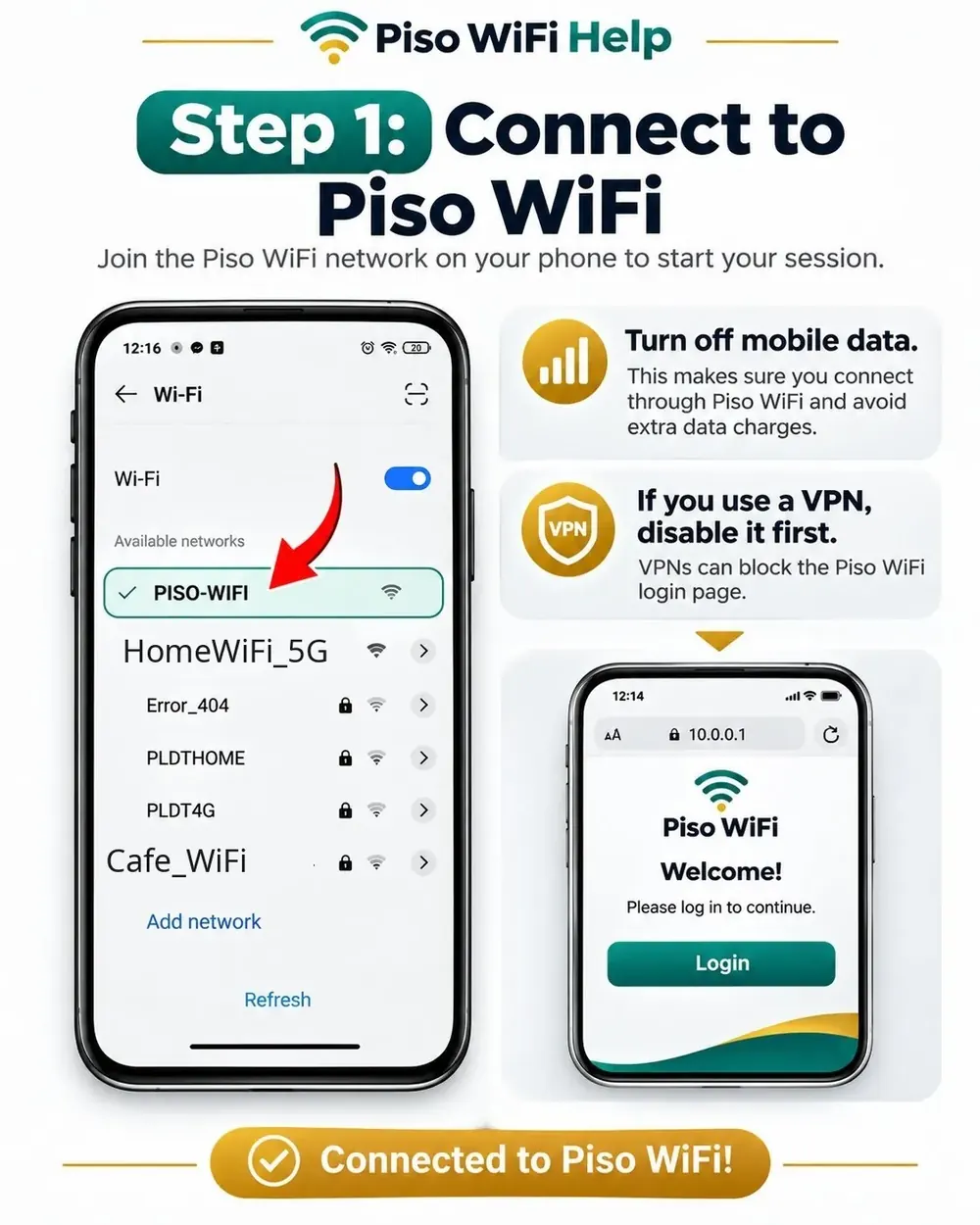
- Join the network on your phone
Open WiFi settings and tap the machine's network name. Turn off mobile data so your phone stays on this network.
- Open the portal
Use the sign-in pop-up if it appears, otherwise open your browser and type http://10.0.0.1 in the address bar. Full detail in the portal guide.
- Pay for time
Insert coins in the machine's slot, enter a voucher code, or pay by e-wallet on machines that offer it. The portal confirms your time.
- Check your time, then browse
Your session page shows your minutes counting down. That page is also where Pause lives when you need a break.
Ways to pay
Coins
Insert coins directly into the machine's coin slot. The classic way — your time is credited to the phone you connected with.
Voucher code
Buy a printed or written code from the store and type it into the portal. Good when you want to start your time later.
E-wallet
Some machines accept e-wallet payments such as GCash or Maya. Availability depends on the machine and its operator.
Good to know before you pay
- The timer starts immediately. The moment payment is confirmed, your minutes begin counting down — connect and pay when you are ready to use the time.
- Same-device rule. Your session is tied to the phone that connected and paid. You cannot move it to another phone later.
- One portal page runs your session. Keep the portal reachable — you will return to 10.0.0.1 to check time or pause.
- Signal matters. If you walk out of range, your session stays alive but your internet stops until you are back in range of the same machine.
Questions about connecting
Usually not. Open your browser and type http://10.0.0.1 in the address bar yourself — the automatic pop-up does not appear on every phone. If the page still will not load, use the portal not loading checks.
No. A session belongs to one device. Each phone needs its own paid time on the same machine.